The latest version of the Christian Chat desktop application for Windows is always available here:
https://christianchat.com/windows/
https://christianchat.com/windows/
Last edited:



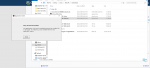
I keep getting the following message:The latest version of the Christian Chat desktop application for Windows is always available here:
https://christianchat.com/windows/
(New update published October 20 to fix an issue with the Windows installer)

The latest version of the Christian Chat desktop application for Windows is always available here:
https://christianchat.com/windows/
(New update published October 20 to fix an issue with the Windows installer)
The latest version of the Christian Chat desktop application for Windows is always available here:
https://christianchat.com/windows/
(New update published October 20 to fix an issue with the Windows installer)

I am having the same issue. Can't install.It says that the installer file is damaged and to get a new file from the author!

The windows desktop application is now updated to resolve the installer issue.
YOU MUST UNINSTALL ANY PREVIOUS VERSION FIRST. (If it's your first time installing it, no worries, simply go ahead.)
The latest update is here:
https://christianchat.com/windows


I'm trying to found out what could happened as well, rooms empty, no sign that CC could be working, maybe an issue in their server...is there an issue with CC right now? I cannot get in on Windows or my Android as of tonight. please advise, thank you.

I get the same tooThis is the message i'm getting when I try to download.

It's an old problem, and there seems to be no solution i'm aware of. Nor any updates come out about it being fixed. Perhaps check the User2User Tech forum to see if any previous posts on the subject had a solution.After install it on sign in page it says Connection Problem! Check your wifi/data connection. Then try again. I'm obviously online or I wouldn't be able to post this.

Much appreciated, Had the same issue but this fixed itYes thanks Maxwel. In my case today I am using Windows 10 version 1903 and I had to do the following for it to install or else the behavior was the same as Tylor pointed out. I know the installer is suppose to install this automatically but sometimes it acts up.
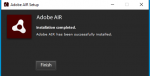
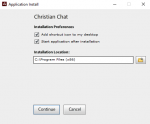
What I have to do is once I downloaded "ChristianChat-3.7.3b-Setup.exe" I then downloaded Adobe Air (https://get.adobe.com/air/otherversions/ )and install it first then I was able to run "ChristianChat-3.7.3b-Setup.exe and install went through ok.
See pics