Testing thread to figure out how to copy a pic to here
- Thread starter Stunnedbygrace
- Start date
-
Christian Chat is a moderated online Christian community allowing Christians around the world to fellowship with each other in real time chat via webcam, voice, and text, with the Christian Chat app. You can also start or participate in a Bible-based discussion here in the Christian Chat Forums, where members can also share with each other their own videos, pictures, or favorite Christian music.
If you are a Christian and need encouragement and fellowship, we're here for you! If you are not a Christian but interested in knowing more about Jesus our Lord, you're also welcome! Want to know what the Bible says, and how you can apply it to your life? Join us!
To make new Christian friends now around the world, click here to join Christian Chat.
You are using an out of date browser. It may not display this or other websites correctly.
You should upgrade or use an alternative browser.
You should upgrade or use an alternative browser.


For you Magenta , always patient and willing to help us...xox...

When you enter a search inquiry into your browser you should then get
some search results
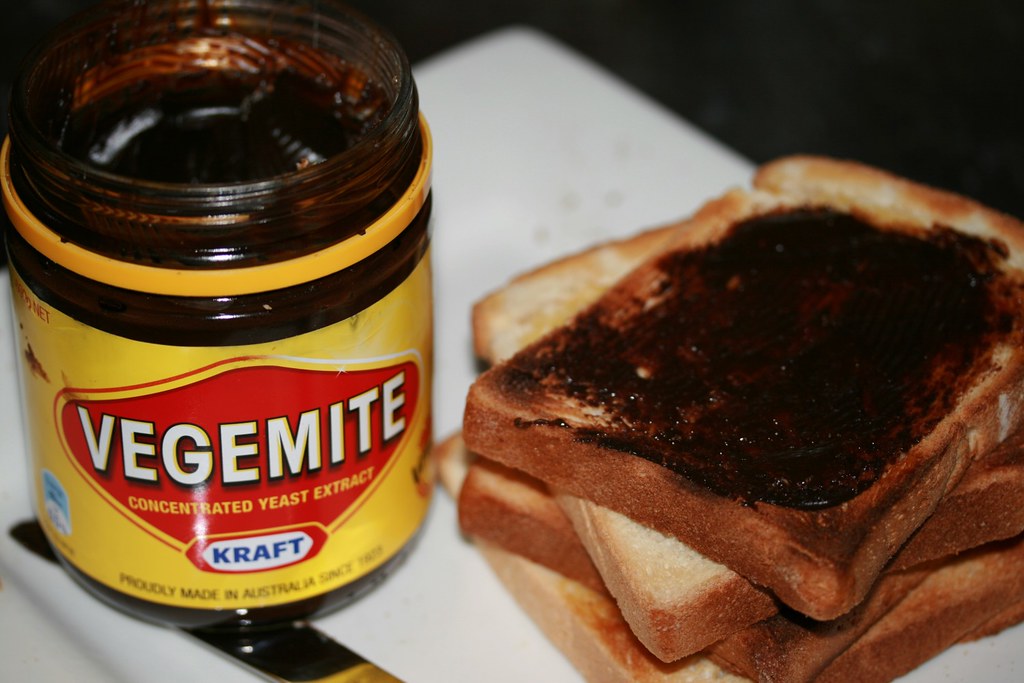
like for example Vegemite recipes or cute kittens
click on images and you get a page full of pix or images
you can if necessary choose the size you are looking for -
small, medium, large - but generally not necessary
when you find a specific image you want to post click on it
and you should get that picture expansion on a black background
Now you can right click on that image and choose 'COPY' and
then return to your thread box and where you place the flashing
cursor mark right click to 'PASTE' and there you have it
Or when you select a particular image and it is a stand alone from
the rest of the page you can left click on it again and you should get
the image all by itself on a white screen - in the web address bar above
is the URL [uniform resource locator] address for that specific image.
Highlight and copy this URL and return to your thread box.
Click on the insert image button [third from right] and paste in the
URL for that image and then click OK.
If you have saved images in sites like pinterest then it is really easy
to simply copy and paste directly over to your thread.
For avatar pix in your homepage you can upload directly from your computer
but you are size restricted.
 [SUB][/SUB]
some search results
like for example Vegemite recipes or cute kittens
click on images and you get a page full of pix or images
you can if necessary choose the size you are looking for -
small, medium, large - but generally not necessary
when you find a specific image you want to post click on it
and you should get that picture expansion on a black background
Now you can right click on that image and choose 'COPY' and
then return to your thread box and where you place the flashing
cursor mark right click to 'PASTE' and there you have it
Or when you select a particular image and it is a stand alone from
the rest of the page you can left click on it again and you should get
the image all by itself on a white screen - in the web address bar above
is the URL [uniform resource locator] address for that specific image.
Highlight and copy this URL and return to your thread box.
Click on the insert image button [third from right] and paste in the
URL for that image and then click OK.
If you have saved images in sites like pinterest then it is really easy
to simply copy and paste directly over to your thread.
For avatar pix in your homepage you can upload directly from your computer
but you are size restricted.
T
Tinuviel
Guest


Once you copy the direct link, open the image app (third icon from the right hand side above text box) and select the From URL tab, and make sure to click OFF Retrieve remote file and reference locally
I do not recommend photobucket because they will delete your image after a while, and also they have a band width limit, which means after your image is viewed so many times, it is disabled. Then they replace your image with one of theirs with a link back to the host site Using images from someone else can be tricky also, because they can change the image without changing the image address. That could be disastrous
I included the link to that one site because there is a
site with a similar name that would be inappropriate.
I do not recommend photobucket because they will delete your image after a while, and also they have a band width limit, which means after your image is viewed so many times, it is disabled. Then they replace your image with one of theirs with a link back to the host site
Using images from someone else can be tricky also, because they can change the image without changing the image address. That could be disastrous I included the link to that one site because there is a
site with a similar name that would be inappropriate.
Those links take you to the page where they are hosted.
Use the direct link code

I used the site you posted , clicked the 3rd link down that said for forums , then posted in here...xox...Once you copy the direct link, open the image app (third icon from the right hand side above text box) and select the From URL tab, and make sure to click OFF Retrieve remote file and reference locally
I do not recommend photobucket because they will delete your image after a while, and also they have a band width limit, which means after your image is viewed so many times, it is disabled. Then they replace your image with one of theirs with a link back to the host site
I included the link to that one site because there is a
site with a similar name that would be inappropriate.
Find a good image hosting site. Not photobucket, but tinypic or imgur or https://postimages.org/ where you can store your images. If you create an account with the host site, you will have a record of what you have put there, but membership is not a requirement.
Bumping this so all can see how awesome magenta is again! It works! It's so easy! She solved the problem! Magenta rocks!
Paste the direct image link into space in the app allowed for it[TABLE="width: 0, align: left"]
[TR="bgcolor: transparent"]
[TD="class: cke_dialog_ui_vbox_child, bgcolor: transparent, align: left"]Add an Image from Url
[/TR]
[TR="bgcolor: transparent"]
[TD="class: cke_dialog_ui_vbox_child, bgcolor: transparent, align: left"]
[/TR]
[/TABLE]
[TR="bgcolor: transparent"]
[TD="class: cke_dialog_ui_vbox_child, bgcolor: transparent, align: left"]Add an Image from Url
Allowed Filetypes: jpg, jpeg, png, gif
[/TD][/TR]
[TR="bgcolor: transparent"]
[TD="class: cke_dialog_ui_vbox_child, bgcolor: transparent, align: left"]
URL ~> then there is the text box for the image url
Click OFF Retrieve remote file and reference locally,
then click okay, and your image should display properly
[/TD]Click OFF Retrieve remote file and reference locally,
then click okay, and your image should display properly
[/TR]
[/TABLE]
D
Depleted
Guest
Lynn snoops so Lynn knows. lolSomeone needs to tell lynn! She'll be happy too!
Yes, you can copy-paste from FB, but boy, the images can get big!
And, yes, I know I can do it through an image hosting service. Did that. Got bored. And when I go back now, I have no idea how to use it. Also not thrilled to just have my images floating around the Internet, unless it's an image I don't care about.
I can tell you if you're image ends with .hdr, it's telling you that it is directly from your hard drive. I'm not 'puter lit, but I fear all the other numbers that show up on here, (I didn't see your email address either), might tell a hacker how to get in my computer.
Lynn snoops so Lynn knows. lol
Yes, you can copy-paste from FB, but boy, the images can get big!
And, yes, I know I can do it through an image hosting service. Did that. Got bored. And when I go back now, I have no idea how to use it. Also not thrilled to just have my images floating around the Internet, unless it's an image I don't care about.
I can tell you if you're image ends with .hdr, it's telling you that it is directly from your hard drive. I'm not 'puter lit, but I fear all the other numbers that show up on here, (I didn't see your email address either), might tell a hacker how to get in my computer.
Raspberries for you!

https://www.dreamstime.com/stock-photo-fresh-raspberry-leaves-wooden-table-image91517006